

Drone filter sets for DJI Mavic Mini
Matching products for your sizes and systems
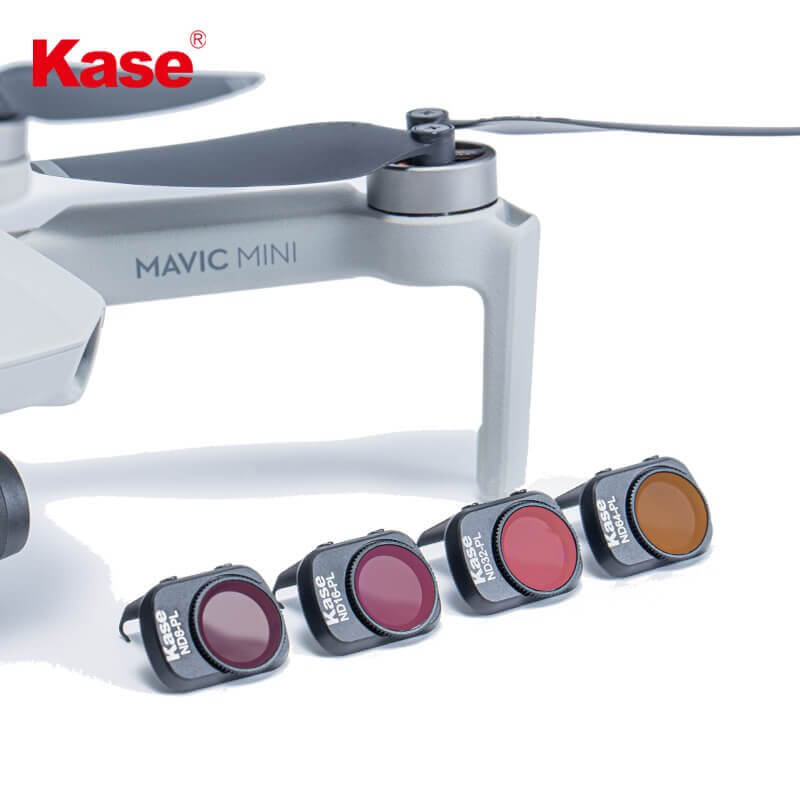
DRONE DJI Mavic Mini Series 4in1 ND Filter Set
In Stock
More About the DJI Osmo Drone ND Filter Sets
Which filters are compatible with my DJI Osmo drone?
In addition to the neutral density filter for long exposures, polarizing filters and hybrid filters are also recommended for the DJI Osmo drone. For landscape photographers, the polarizing filter is an essential tool. It reduces reflections on non-metallic surfaces such as glass or water. At the same time, it intensifies green tones, enables reflection-free sea shots and improves sky photography. The sky appears in a vibrant blue and white clouds stand out more clearly. Especially for drones, hybrid filters—i.e., a combination of ND filter and polarizer—are a great solution because multiple filters cannot be stacked. These combination filters consist of a standard ND filter and an integrated polarizer. You don’t have to choose between the filters: use the polarizer to reduce reflections and the ND filter to darken the scene. It’s essentially a “2-in-1” filter.
Is an ND filter worthwhile for the DJI Osmo drone or handheld camera?
In conclusion, ND filters are essential for successful photography and drone photography, especially when shooting landscapes or city panoramas. They help correct colors, avoid reflections and glare, and create motion-blur effects for a dreamlike image. Depending on your needs, we offer various filter options and have assembled a selection of sets for you.
Which ND filter strengths should you buy for the DJI OSMO Pocket, DJI Mavic 2 PRO and DJI Mavic 2 ZOOM, and when should you use them?
When shooting with a drone or a handheld camera, five different filter strengths are typically used: ND4, ND8, ND16, ND32 and ND64. ND4 corresponds to 2 f-stops, ND8 to 3, ND16 to 4, ND32 to 5 and ND64 to 6 f-stops. As a rule of thumb, each stop doubles the exposure time. This means that an ND4 provides roughly four times the exposure time, while ND64 provides sixty-four times the exposure time. During long exposures, more infrared light passes through, which can shift photo colors toward blue tones.
Why do I need an ND filter for my DJI Osmo drone or handheld camera?
ND filters—also known as neutral density filters or grey filters—are often used by professional photographers to ensure even exposure across an image. They are lightly tinted grey lenses that can be screwed or clipped onto the camera. Insertable slide-in filters also exist, but we do not recommend them because light can leak in through the side slots and negatively affect the image. A neutral density filter enables excellent photos regardless of lighting conditions or sunlight. We offer a wide range of models that differ in tint and light transmission. Another benefit of ND filters is their ability to create surreal visual effects due to longer exposure times—allowing movement to be “frozen” while producing motion-blur effects such as flowing water, moving clouds or city traffic.